Most people download a budgeting app, spend 25 minutes setting it up, and abandon it within a week. The app wasn’t necessarily bad — it just wasn’t matched to how they actually think about money.
Introduction
Picking a budgeting app isn’t like picking a weather app. The wrong choice doesn’t just waste storage — it actively makes budgeting feel harder than it is, and gives you an excuse to quit. The challenge is that the most popular apps (YNAB, Copilot, Rocket Money) are built around fundamentally different philosophies. Before you download anything, you need to understand which approach fits your personality and financial situation. This guide walks you through a simple framework — no spreadsheets required — to identify exactly which type of budgeting app suits you.
Step 1: Understand the Four Types of Budgeting Apps
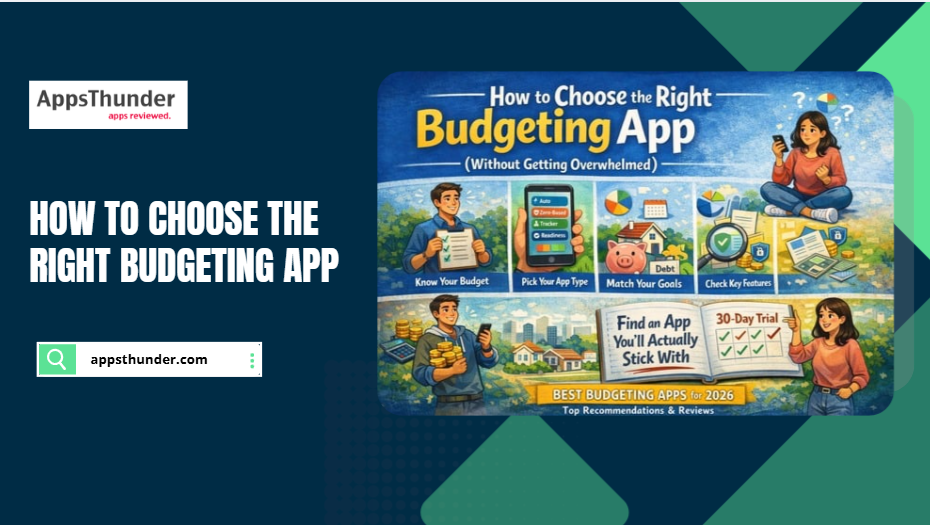
All budgeting apps fall into roughly four categories. Knowing which category you need narrows your search immediately.
- Automated tracking apps: Connect to your bank accounts and pull in every transaction automatically. Examples: Copilot (iOS), PocketGuard. Best for people who hate manual data entry and want passive oversight.
- Zero-based budgeting apps: Assign every pound or dollar of income to a category before you spend it. Examples: YNAB, EveryDollar. Best for people with irregular income, debt repayment goals, or anyone who wants total control.
- Spending readiness apps: Track in real time whether your current spending trajectory is on pace with your plan. Examples: MoolaCon, which uses a five-level Spending Readiness Condition updated minute-by-minute. Best for people who want a simple status indicator.
- Simple manual trackers: Require you to log every expense yourself — no bank connection, maximum privacy. Examples: Money Manager, Spending Tracker. Best for privacy-conscious users.
Step 2: Identify Your Budget Personality
Answer these four questions honestly before downloading anything:
- Do you look at financial data every day, or prefer weekly/monthly check-ins? Daily checkers do better with automated apps. Weekly reviewers often succeed with zero-based apps.
- Do you have a fixed salary or variable income? Variable income (freelancers, gig workers) almost always benefits from zero-based budgeting.
- Have you tried budgeting apps before and quit? If yes, the app was probably too complex. Start with something simpler — a spending readiness tool or basic manual tracker.
- How comfortable are you linking your bank accounts to an app? If uncomfortable, choose a manual tracker or reputable app with strong encryption and open banking credentials.
Step 3: Match Your Goal to the Right App Type
| Goal | Best App Type | Example |
| Stop overdrafting | Real-time spending readiness | MoolaCon |
| Pay off debt faster | Zero-based budgeting | YNAB |
| Get a general overview | Automated tracking | Copilot, PocketGuard |
| Save for a specific goal | Zero-based or goal-focused | YNAB, Goodbudget |
| Track without sharing bank data | Manual tracker | Money Manager |
| Manage shared household budget | Multi-user tracking | Honeydue, Splitwise |
Step 4: Check These Five Features Before Committing
- Bank compatibility — Does it connect to your actual bank? Many apps miss smaller credit unions or regional banks.
- Platform availability — iOS-only apps won’t work if you switch to Android. Confirm cross-platform support before paying.
- Price vs. features — Free apps often have aggressive upsells and ads. YNAB costs $14.99/month — steep, but eliminates feature-gating.
- Privacy and data use — Some free apps monetise by selling anonymised spending data. Read the privacy policy before signing up.
- Sync reliability — Read recent App Store reviews specifically mentioning sync issues before committing.
Step 5: Give the App a Genuine 30-Day Trial
The most common mistake: judging a budgeting app in the first week. The first week is always setup friction. The real question is whether the app feels natural in week three and four, after the novelty has worn off.
Commit to 30 days. Log in at the same time each day or week — consistency matters more than frequency. At the end of 30 days, ask: Did this app change any spending decision I made? If yes, it’s working. If you can’t point to a single changed decision, try a different type.
Frequently Asked Questions
1.What’s the easiest budgeting app for beginners?
For absolute beginners, PocketGuard or MoolaCon are the best starting points. PocketGuard automatically calculates how much you have left to spend after bills, goals, and necessities. MoolaCon gives you a single readiness score so you know at a glance whether your spending is on track. Both avoid the complexity that causes most beginners to quit within a week.
2.Do I have to link my bank account to a budgeting app?
No. Many apps — including Money Manager, Goodbudget, and Toshl — work without any bank connection. You log expenses manually, which takes more effort but keeps your account credentials entirely private. If you prefer automatic import but are privacy-conscious, look for apps using read-only open banking connections.
3.Is YNAB worth the subscription cost?
For people with specific debt repayment goals or highly variable income, yes. YNAB’s zero-based budgeting system is the most powerful available, and the company reports new users save an average of $600 in the first two months. At $14.99/month, that’s a strong return. For casual budgeters who mainly want expense tracking, a free tool like PocketGuard delivers similar value.
4.Can budgeting apps see my full bank account?
Budgeting apps using open banking see your transaction history and balance — not your account credentials or full account number. The connection is read-only, meaning the app cannot initiate transfers. Choose apps with strong encryption policies and avoid free apps that explicitly state they share data with marketing partners.
5.What budgeting app works for couples?
Honeydue is purpose-built for couples — it lets both partners see shared accounts while keeping individual accounts private, sets custom spending limits, and sends bill reminders to both. Goodbudget also works well for couples using the envelope budgeting method.
Conclusion
The right budgeting app isn’t the one with the most downloads or the highest-rated review — it’s the one that matches how you actually think about money. Start by identifying your budget personality, align your financial goal with the right app type, verify the five key features before committing, and give it a genuine 30-day trial before deciding it doesn’t work.
Start with one of the apps from our Best Budgeting Apps for 2026 guide — every recommendation comes with a clear breakdown of who it’s best suited for, so you can match your situation before downloading.