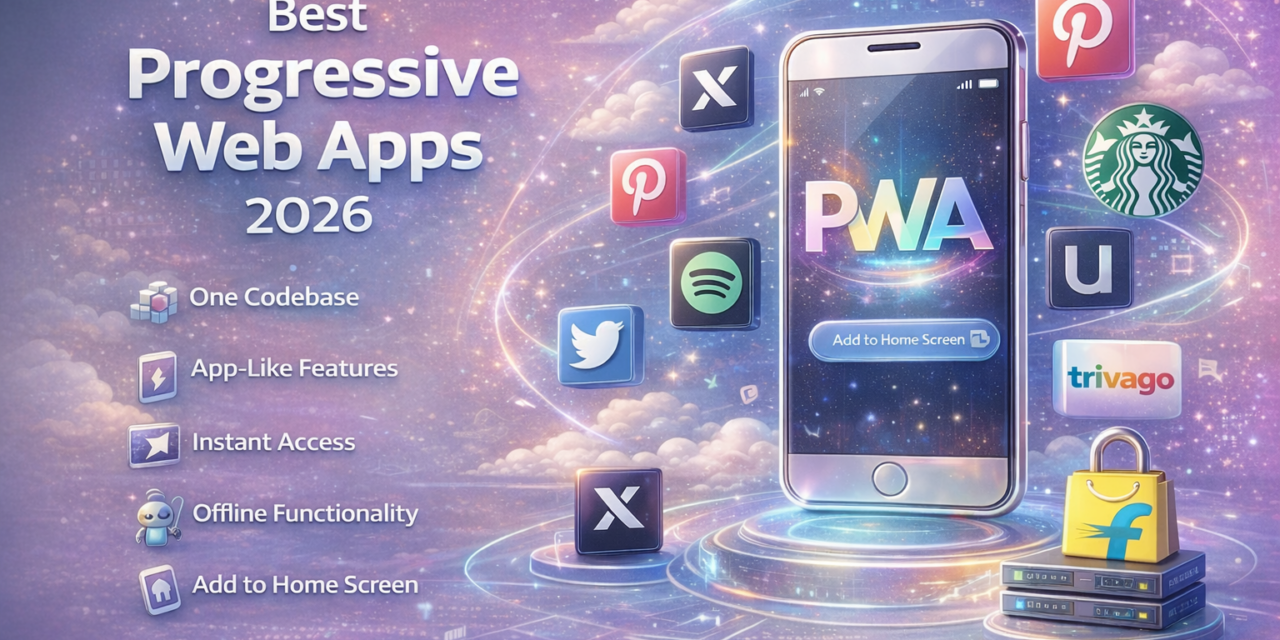
The Progressive Web App revolution is finally reaching critical mass in 2026. According to recent industry reports, PWAs are “closing the gap between native mobile apps and web experiences, reducing development costs by 40-60%.” Major enterprises are abandoning native app development in favor of PWAs that work seamlessly across all devices without app store barriers. Companies like Twitter (now X), Starbucks, and Uber have demonstrated that PWAs can deliver native-quality experiences while eliminating the friction of downloads, updates, and app store approval processes. With 78% of organizations now prioritizing PWAs for customer-facing applications and Google’s continued investment in web platform capabilities, Progressive Web Apps represent the future of mobile development—combining web accessibility with app-like functionality.
🌐 Why PWAs Dominate Development in 2026
Traditional native apps require separate iOS and Android development, app store approval delays, mandatory user downloads, and constant update management. PWAs eliminate every barrier—one codebase works everywhere, users access instantly through browsers without downloads, updates deploy automatically without user action, and no app store gatekeepers control distribution. The cost savings are transformative: companies report 40-60% reduction in development expenses while reaching 100% of users regardless of device or platform. PWAs also solve the “app fatigue” problem—users no longer need to download yet another app for occasional use when PWAs provide full functionality through simple web access.
📱 Top Progressive Web Apps for 2026
1. Twitter/X PWA – Social Media Excellence
Twitter’s PWA demonstrates how social platforms can deliver native-quality experiences through the web without sacrificing features.
Key Features:
- Offline functionality for reading cached tweets
- Push notifications for mentions and messages
- Background sync for posting when connectivity returns
- Add to home screen for app-like access
- Fast loading with service worker caching
- Full feature parity with native apps
- Works across all devices seamlessly
Performance:
- 75% smaller than native Android app
- 70% increase in tweets sent
- 65% increase in pages per session
Best For: Social media users, avoiding app downloads, cross-platform access
2. Starbucks PWA – Retail Excellence
Starbucks’ ordering PWA proves retail experiences work beautifully as Progressive Web Apps with remarkable results.
Key Features:
- Menu browsing works offline
- Order customization and favorites
- Store locator with mapping
- Rewards program integration
- Mobile payment processing
- Push notifications for order status
- Works on any device browser
Results:
- 2x daily active users
- Near-native app performance
- 99.84% smaller than iOS app
- Works on low-end devices
Best For: Coffee ordering, mobile payments, location-based services
3. Pinterest PWA – Visual Discovery
Pinterest rebuilt as PWA achieving massive engagement improvements while dramatically reducing size.
Key Features:
- Infinite scroll with smooth performance
- Image-heavy browsing optimized
- Offline board viewing
- Save pins for later with background sync
- Push notifications for activity
- Fast load times on slow connections
- Home screen installation
Performance Improvements:
- 60% increase in engagement
- 44% increase in user-generated ad revenue
- 40% increase in time spent
- Loading reduced to under 3 seconds
Best For: Visual content discovery, inspiration boards, creators
4. Uber PWA – Transportation Simplified
Uber’s PWA provides full ride-hailing functionality for markets where native app downloads present barriers.
Key Features:
- Request rides without app download
- Real-time driver tracking
- Payment processing
- Ride history and receipts
- Works on 2G networks
- Minimal data usage
- Emerging market optimization
Market Impact: Crucial for markets with limited storage, slow networks, or expensive data where native apps create barriers to service access.
Best For: Occasional riders, international travel, low-end devices
5. Spotify Web Player – Music Streaming
Spotify’s PWA delivers full music streaming without native app requirements, though some features remain app-exclusive.
Key Features:
- Full music library access
- Playlist creation and management
- Search and discovery
- Social features and sharing
- Offline playback (Premium)
- Cross-device synchronization
- Keyboard shortcuts and controls
Limitations: Some features like downloads and highest quality remain native app exclusive, but core experience is feature-complete.
Best For: Desktop listeners, avoiding app installation, work environments
6. Trivago PWA – Travel Booking
Trivago’s hotel search PWA demonstrates how travel booking works seamlessly without native apps.
Key Features:
- Hotel search and comparison
- Price tracking and alerts
- Reviews and photos
- Booking integration
- Offline browsing of saved hotels
- Push notifications for price drops
- Fast performance on mobile networks
Results:
- 150% increase in engagement
- 97% increase in hotel searches
- Works across all devices
Best For: Travel planning, price comparison, hotel booking
7. Flipkart Lite – eCommerce PWA
India’s Flipkart created “Flipkart Lite” PWA achieving extraordinary results in emerging markets.
Key Features:
- Complete shopping experience
- Product search and browsing
- Cart and checkout
- Order tracking
- Works on slow 2G networks
- Minimal data consumption
- Add to home screen
Performance:
- 70% increase in conversions
- 3x time spent on site
- 40% re-engagement rate
- Works on low-end Android devices
Best For: Emerging markets, slow connections, storage-constrained devices
💡 PWA vs Native Apps Decision
Choose PWAs For:
- Broad reach across all platforms
- Cost-effective development (40-60% savings)
- Instant access without downloads
- Frequent updates without user action
- SEO discoverability
- Easy sharing via URLs
- Lower maintenance overhead
Choose Native Apps For:
- Hardware-intensive features (AR, complex graphics)
- Extensive offline functionality
- Deep platform integration needed
- App store visibility strategy
- Advanced device APIs required
🎯 PWA Technical Advantages
Service Workers: Enable offline functionality, background sync, push notifications, and cache management previously impossible for web apps.
App Manifest: Allows installation to home screen with custom icons and splash screens, making PWAs indistinguishable from native apps once installed.
Responsive Design: Single codebase adapts automatically to phones, tablets, and desktops without platform-specific development.
Always Current: Users always access the latest version automatically—no update friction, no version fragmentation.
📊 PWA Market Statistics 2026
Adoption:
- 78% of organizations prioritizing PWAs
- 40-60% development cost reduction
- 53% increase in mobile traffic (average)
- 68% better conversion rates vs mobile web
Performance:
- 3x faster load times than native apps
- 99% smaller file sizes (average)
- Work on 2G networks effectively
- 25x less device storage required
🔑 Conclusion
Progressive Web Apps have matured from experimental technology to mainstream development strategy in 2026. Companies like Starbucks, Twitter, Pinterest, and Uber prove PWAs deliver native-quality experiences at fraction of costs while reaching every user regardless of device or platform. The 40-60% development cost reduction, combined with elimination of app store barriers and update friction, makes PWAs compelling for most use cases. While native apps retain advantages for hardware-intensive applications, the vast majority of business applications work perfectly as PWAs.
Experience PWAs today by visiting any featured app in your browser and exploring “Add to Home Screen” options. The web platform has evolved to deliver app-quality experiences without the baggage of traditional app development and distribution. As Google continues advancing web capabilities and businesses recognize cost savings, expect Progressive Web Apps to become the default choice for customer-facing applications.
❓ FAQ
1. Can PWAs really replace native apps?
For most use cases, yes. PWAs handle content, commerce, social media, productivity, and basic services excellently. Complex games, AR/VR, or hardware-intensive applications still benefit from native development.
2. Do PWAs work offline?
Yes! Service workers enable offline functionality, caching content for offline access and syncing changes when connectivity returns. However, offline capabilities vary by implementation.
3. Can PWAs send push notifications?
Yes, PWAs support push notifications on Android and desktop. iOS added PWA push notification support, enabling cross-platform notification capabilities previously exclusive to native apps.
4. Are PWAs discoverable in app stores?
PWAs are primarily discovered through web search and URLs, but can be listed in Microsoft Store and Google Play Store as Trusted Web Activities when appropriate.
5. Do PWAs drain battery like native apps?
No, PWAs generally use less battery than native apps due to lighter resource requirements and better optimization. They don’t run constant background processes like many native apps.