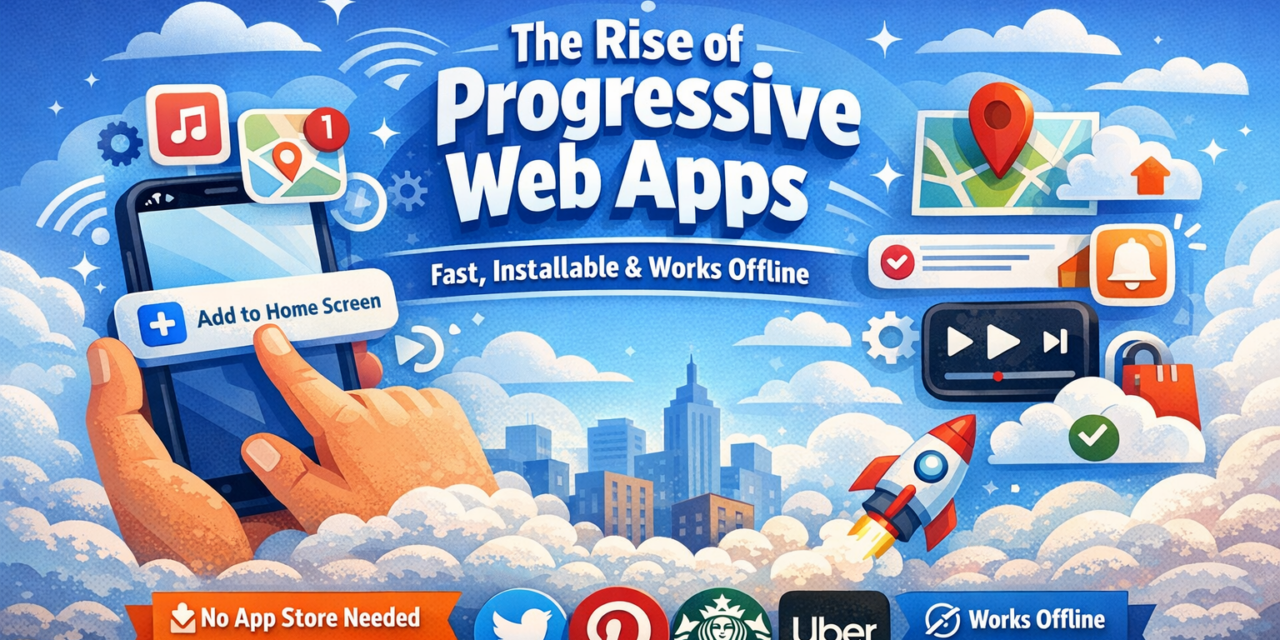
You open a website on your phone, and a small prompt appears: “Add to Home Screen.” You tap it. A few seconds later, there’s an icon on your home screen — no App Store, no 200MB download, no waiting. You open it and it works offline. That experience has a name: a Progressive Web App.
Introduction
Progressive web apps are one of the most significant shifts in how software gets built and used — and most people have no idea they exist, even as they use them daily. A PWA sits somewhere between a traditional website and a native mobile app. It loads in a browser but behaves like an app installed on your device. For end users, that means less storage used, faster access, and no forced updates. For developers, it means building once and reaching every platform. This guide explains exactly what a progressive web app is, how it works, the real advantages over native apps, and which PWAs you’ve probably already used.
What Exactly Is a Progressive Web App?
A Progressive Web App is a website built with modern web technologies — specifically HTML, CSS, and JavaScript — that delivers an app-like experience directly in the browser. The “progressive” part means it adapts to the device running it: basic functionality on older browsers, full app-like features on modern ones.
Three technical components define a PWA:
A service worker is a background script that handles caching, push notifications, and offline functionality. It intercepts network requests and serves cached content when no connection is available — which is why PWAs work without internet.
A web app manifest is a JSON file that tells the browser how the app should behave when installed: its name, icon, theme colour, and whether it should open in a standalone window or inside the browser.
HTTPS is mandatory for PWAs. All content must be served over a secure connection, which also provides a layer of trust for users.
The capability gap between PWAs and native apps has narrowed significantly since 2022. Modern PWAs can access the camera, microphone, geolocation, push notifications, and on many Android devices, even Bluetooth and NFC.
Why PWAs Are Growing Fast in 2026
Storage constraints are real. The average smartphone user has 80+ apps installed, consuming 15–25GB of storage. A PWA uses a fraction of that footprint — often under 5MB including cached content.
App store friction costs installs. Research shows apps lose 20% of potential users at each step of the installation funnel. With a PWA, there are no steps: visit the URL, tap “Add to Home Screen,” done.
App store fees are expensive for developers. Apple and Google take 15–30% of revenue from apps distributed through their stores. PWAs bypass this entirely.
Search engine discoverability. PWAs are indexed by Google just like regular websites, meaning they appear in search results — a major advantage over native apps buried in app stores.
Real-World PWA Examples You Already Know
- Twitter/X: Reduced data usage by 70% and increased pages viewed per session by 65% after switching to PWA.
- Pinterest: Reported a 44% increase in user-generated ad revenue and 40% more time spent on site.
- Starbucks: Works offline, allowing customers to browse the menu and customise orders without a connection.
- Uber: Loads in under 3 seconds on 2G connections, dramatically expanding reach in emerging markets.
- Spotify Web Player: Functions as a PWA, allowing streaming directly from the browser without installing the desktop app.
How to Install a PWA on Your Phone
On Android (Chrome)
Visit the PWA website in Chrome. Tap the banner that says “Add [App Name] to Home Screen” — or tap the three-dot menu in the top right and select “Add to Home Screen.” The app icon appears on your home screen immediately.
On iPhone (Safari)
Visit the PWA in Safari (must be Safari — Chrome on iOS doesn’t support full PWA installation). Tap the Share button (box with arrow pointing up). Scroll down and tap “Add to Home Screen.” Give it a name if needed, then tap “Add.”
The Limitations Worth Knowing
PWAs are not a perfect substitute for native apps in every situation. For high-performance games, apps requiring deep Bluetooth integration, or software processing large files locally — a native app still delivers better performance.
iOS has some restrictions that Android doesn’t. Push notifications on iOS via PWAs were only introduced with iOS 16.4, and battery life optimisation for PWAs on iPhone remains less refined than native apps. For everyday productivity tools, content apps, shopping, travel, and utilities, these limitations are mostly irrelevant.
Frequently Asked Questions
Do progressive web apps work without internet?
Yes, but with limits. PWAs use service workers to cache content during previous visits. When you go offline, the app can display cached pages, forms, and media. The depth of offline functionality depends entirely on how the developer built the PWA — some work almost completely offline, others only show a basic cached page. Apps like Starbucks’ PWA were specifically designed for full offline ordering.
Is a PWA safe to install on my phone?
Yes. PWAs are required to run over HTTPS, which means all communication between your device and the server is encrypted. They also run in a sandboxed browser environment, meaning they don’t have the same level of access to your device as a native app unless you explicitly grant permissions. There’s no installation of executable code — they are fundamentally web pages.
Can a PWA send push notifications?
On Android, yes — PWAs have supported push notifications for several years. On iPhone, push notification support was introduced with iOS 16.4 in 2023, so most modern iPhones now support it. The website must request permission, just like a native app.
Do PWAs appear in Google search results?
Yes, and this is one of their biggest advantages over native apps. Since a PWA is fundamentally a website, it’s indexed by search engines. A well-optimised PWA can rank in Google for relevant keywords. Native apps are only discoverable through App Store search — a much more limited discovery channel.
Can I uninstall a PWA like a normal app?
Yes. On Android, long-press the icon and select “Uninstall.” On iPhone, long-press the icon and tap “Remove App.” Uninstalling a PWA removes the home screen icon and any locally cached data, but there’s nothing else on your device to clean up.
Conclusion
Progressive web apps aren’t the future of mobile — they’re the present. They install in seconds, use minimal storage, work across every platform, and increasingly match native apps for the features everyday users actually need. The three things to remember: a PWA is a website that can be installed like an app; it uses service workers to enable offline functionality and push notifications; and you can install one right now by visiting a compatible site in your mobile browser and tapping “Add to Home Screen.”Ready to experience the difference? Browse our Best Progressive Web Apps for 2026 guide and install one today — the whole process takes less than a minute.