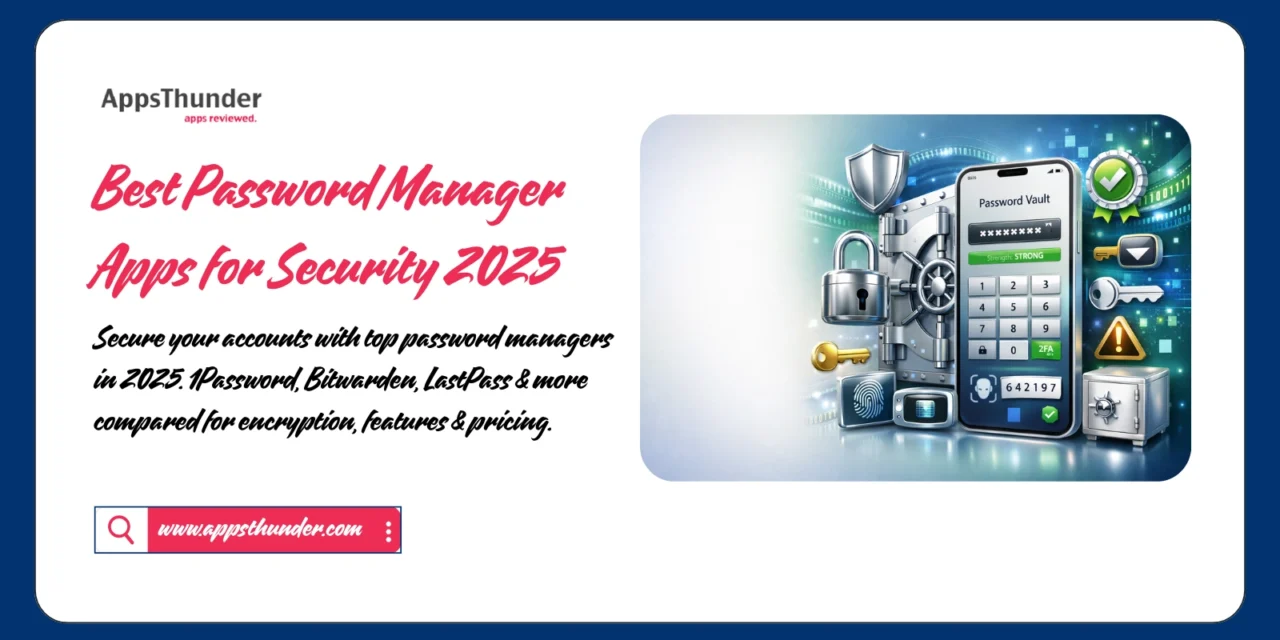
In an era where the average person manages 100+ online accounts, password security has become critical. Data breaches expose millions of credentials annually, making weak or reused passwords a major vulnerability. Password manager apps solve this crisis by generating, storing, and auto-filling complex passwords across all your devices. With cybercrime damages expected to reach $10.5 trillion annually by 2025, protecting your digital identity through a password manager isn’t optional—it’s essential.
🔐 Why Password Managers Are Critical in 2025
Using “123456” or reusing the same password across multiple sites puts your entire digital life at risk. When one account gets breached, hackers can access everything. Password managers eliminate this vulnerability by creating unique, complex passwords for every account while you only remember one master password. Research shows that 81% of data breaches involve weak or stolen passwords, yet password managers are used by only 34% of internet users—leaving massive room for improvement.
📱 Top Password Manager Apps for 2025
1. 1Password – Premium All-Around Security
1Password leads the industry with an intuitive interface, robust security features, and excellent cross-platform synchronization trusted by millions of users and thousands of businesses.
Key Features:
- Watchtower alerts for compromised passwords
- Travel Mode hides sensitive vaults at borders
- Two-factor authentication support (TOTP)
- Secure document storage
- Password sharing with family/team
- Biometric unlock (Face ID, Touch ID)
- Browser extensions for all major browsers
Best For: Families, teams, business users, comprehensive security Pricing: Individual $2.99/month; Family $4.99/month
📥 Download Links:


2. Bitwarden – Open-Source Security
Bitwarden offers enterprise-grade security features completely free through its open-source platform, making premium password management accessible to everyone.
Key Features:
- Completely open-source (auditable code)
- Unlimited passwords on free tier
- Cross-platform sync (all devices)
- Password generator with customization
- Secure password sharing
- Self-hosting option for advanced users
- Two-factor authentication support
Best For: Privacy advocates, budget-conscious users, tech enthusiasts Pricing: Free unlimited; Premium at $10/year (exceptional value)
📥 Download Links:
3. LastPass – Feature-Rich Free Option
LastPass popularized password management with its free tier offering unlimited passwords and device sync, though recent changes limit free users to one device type.
Key Features:
- Unlimited password storage
- Auto-fill for apps and websites
- Password generator and security dashboard
- Emergency access for trusted contacts
- Encrypted digital wallet
- Dark web monitoring (premium)
- Family sharing options
Best For: Individual users, mobile-focused security, established platform Pricing: Free (limited); Premium at $3/month
📥 Download Links:
4. Dashlane – VPN and Dark Web Monitoring

Dashlane differentiates itself by including VPN service and comprehensive dark web monitoring alongside traditional password management features.
Key Features:
- Built-in VPN (unlimited data on premium)
- Dark web monitoring with instant alerts
- Password health scoring
- Automatic password changer
- Secure file storage (1GB)
- Identity dashboard
- Breach alerts and monitoring
Best For: Privacy-focused users, comprehensive security, business professionals Pricing: Free (50 passwords, 1 device); Premium at $4.99/month
📥 Download Links:
5. Keeper – Maximum Security Focus

Keeper emphasizes military-grade encryption and zero-knowledge architecture, making it popular among security professionals and enterprises.
Key Features:
- Zero-knowledge security architecture
- Encrypted messaging (KeeperChat)
- Biometric authentication
- Secure file storage (10GB on premium)
- Breach monitoring and alerts
- Emergency access feature
- Compliance-ready for businesses
Best For: Security professionals, enterprises, maximum protection Pricing: Personal $2.92/month; Family $6.25/month
📥 Download Links:
6. NordPass – From VPN Experts
Created by NordVPN’s team, NordPass brings their security expertise to password management with a focus on simplicity and strong encryption.
Key Features:
- XChaCha20 encryption algorithm
- Biometric authentication
- Password health analysis
- Data breach scanner
- Secure password sharing
- Emergency access
- Multi-factor authentication
Best For: NordVPN users, simple interface, strong encryption Pricing: Free basic; Premium at $1.49/month (2-year plan)📥 Download Links:
💡 Choosing the Right Password Manager
By Priority:
- Best Free Option: Bitwarden (unlimited everything)
- Best for Families: 1Password (robust sharing features)
- Best Privacy: Bitwarden (open-source, auditable)
- Best Apple Integration: iCloud Keychain (native)
- Maximum Security: Keeper (zero-knowledge architecture)
- Best Value: Bitwarden Premium ($10/year)
By Platform:
✅ Apple ecosystem only → iCloud Keychain
✅ Cross-platform → 1Password, Bitwarden
✅ Android primary → Bitwarden, LastPass
✅ Business use → 1Password, Keeper, Dashlane
🎯 Password Security Best Practices
Master Password Guidelines:
- 16+ characters combining letters, numbers, symbols
- Unique phrase you’ve never used before
- Not stored digitally anywhere else
- Memorable but not guessable
- Consider passphrase method: “Sunset-Bicycle-Ocean-42!”
General Security Tips:
✅ Enable two-factor authentication everywhere possible
✅ Use password manager’s generator for all new accounts
✅ Change passwords immediately after breach notifications
✅ Never share passwords via email or text
✅ Review security dashboard monthly
✅ Enable biometric unlock for convenience
✅ Set up emergency access for trusted person
🔒 Understanding Encryption Standards
Zero-Knowledge Architecture: Password managers use zero-knowledge encryption, meaning even the company cannot access your passwords. Your data is encrypted on your device before uploading to servers. Only you possess the master password that decrypts your vault.
Encryption Standards:
- AES-256: Military-grade encryption standard
- XChaCha20: Modern alternative used by NordPass
- End-to-End Encryption: Data encrypted during transmission
- Two-Factor Authentication: Additional security layer
Security Audits: Reputable password managers undergo regular third-party security audits. Bitwarden publishes audit results publicly, while 1Password and others conduct regular assessments to maintain trust.
📊 Feature Comparison Chart
Free Tier Comparison:
- Bitwarden: Unlimited passwords, unlimited devices ⭐
- iCloud Keychain: Free for Apple users
- LastPass: Limited to one device type
- Dashlane: 50 passwords, 1 device
Premium Value:
- Bitwarden: $10/year (best value)
- NordPass: $1.49/month (2-year plan)
- 1Password: $2.99/month
- Keeper: $2.92/month
Business Solutions:
- 1Password Business: $7.99/user/month
- Keeper Business: $3.75/user/month
- Bitwarden Teams: $3/user/month
- Dashlane Business: $8/user/month
🚀 Getting Started with Password Managers
Week 1: Setup and Import
- Choose your password manager
- Create strong master password
- Enable two-factor authentication
- Import existing passwords from browser
- Install browser extensions
Week 2: Secure Critical Accounts
- Update banking passwords
- Secure email accounts
- Change social media passwords
- Update shopping accounts
- Enable password generator
Week 3: Organization
- Create folders/categories
- Add secure notes
- Store important documents
- Set up password sharing
- Configure emergency access
Month 2+: Maintenance
- Review security dashboard weekly
- Update weak passwords monthly
- Monitor breach alerts
- Add new accounts immediately
- Regular security audits
💰 ROI of Password Security
Cost of Data Breaches: Average cost of identity theft: $1,343 per victim Time to resolve identity theft: 6-12 months Credit monitoring services: $10-30/month Legal fees: $500-5,000+
Password Manager Investment: Premium password manager: $36-60/year Time saved on password resets: 5+ hours/year Peace of mind: Priceless
The math is simple—spending $3-5 monthly on a password manager versus thousands in potential breach recovery costs makes password managers one of the best security investments you can make.
❓ FAQ
1. Are password managers safe from hackers?
Yes, when using reputable services. Zero-knowledge encryption means even if the company’s servers are breached, your encrypted data remains unreadable without your master password. Choose managers with regular security audits.
2. What happens if I forget my master password?
Most password managers cannot recover your master password due to zero-knowledge architecture. However, you can set up emergency access with trusted contacts or use account recovery options (varies by service).
3. Should I use the password manager built into my browser?
Browser-based managers (Chrome, Safari) offer basic security but lack advanced features like cross-platform sync, security audits, and breach monitoring. Dedicated password managers provide superior security and functionality.
4. Can password managers be hacked?
While theoretically possible, reputable password managers use military-grade encryption making brute-force attacks virtually impossible. The bigger risk is weak master passwords or phishing attacks targeting users directly.
5. Is it worth paying for a premium password manager?
For most users, Bitwarden’s $10/year premium or free tier provides excellent value. Premium features like advanced two-factor authentication, priority support, and additional storage justify costs for security-conscious users.
🔑 Conclusion
Password security is the foundation of digital safety, and password managers make protection effortless. Bitwarden offers the best free option with unlimited features, 1Password leads for families and teams, and iCloud Keychain provides seamless Apple integration at no cost. The right choice depends on your device ecosystem, budget, and specific security needs.
Secure your digital life today by choosing a password manager and migrating your accounts over the next few weeks. Start with critical accounts first, then systematically update all credentials. The initial setup requires investment of time, but the long-term security, convenience, and peace of mind are invaluable. With cyber threats evolving constantly, using a password manager isn’t paranoia—it’s common sense digital hygiene in 2025.
Remember: Your password manager is only as secure as your master password. Choose wisely, enable two-factor authentication, and never share your master password with anyone. The minor inconvenience of security measures is nothing compared to the nightmare of compromised accounts and stolen identity.