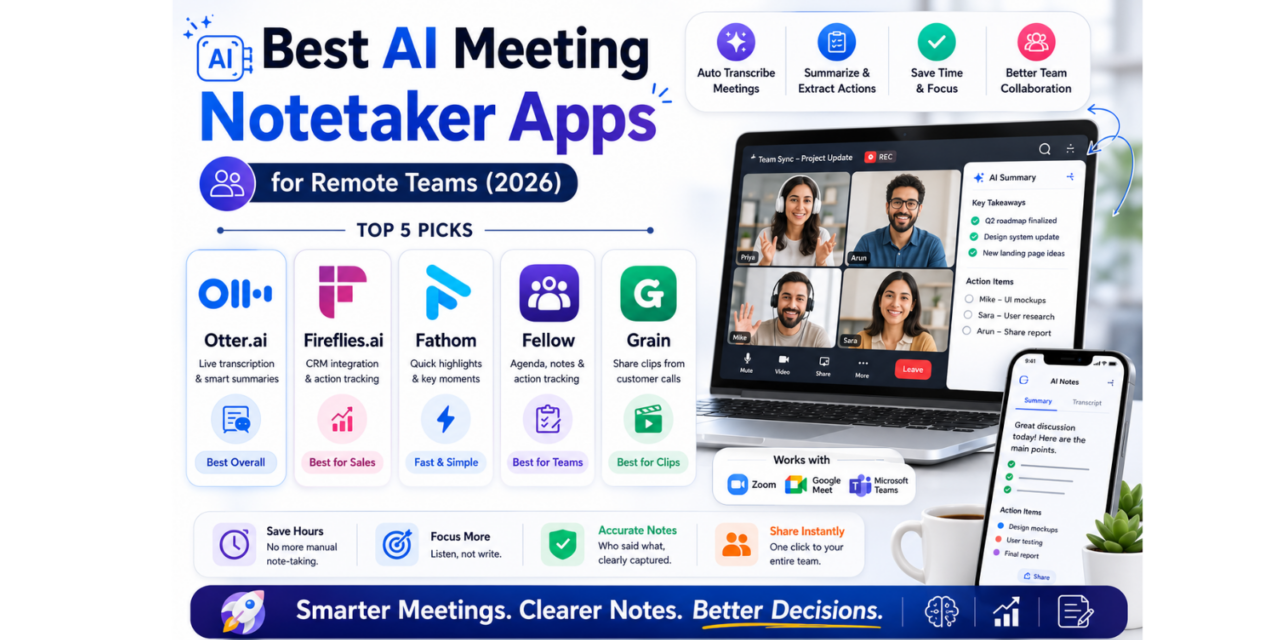
Taking notes while actually participating in a meeting has always been a genuinely hard split of attention, and remote work made it worse by multiplying the number of calls most people sit through in a week. AI meeting notetakers solve this cleanly by joining the call themselves, transcribing every word, and pulling out decisions and action items afterward so nobody has to choose between listening and writing. In 2026, the better tools in this category have gotten sharp enough at identifying who said what and what was actually decided that teams increasingly treat the generated summary as the official record of the meeting rather than a rough backup. Here are five AI meeting notetaker apps worth adding to a remote team’s calendar this year. Most integrate directly with Zoom, Google Meet, or Microsoft Teams, joining automatically based on a calendar invite rather than requiring someone to remember to start recording manually each time.
Otter.ai
Otter.ai remains one of the most widely adopted transcription tools, automatically joining calendar meetings to produce live transcripts alongside automated summaries and action item extraction shared directly with attendees afterward.
Fireflies.ai

Fireflies.ai integrates deeply with CRM tools, automatically logging sales call summaries and next steps directly into a company’s existing sales pipeline rather than leaving notes stranded in a separate app nobody checks.
Fathom
Fathom focuses specifically on speed and simplicity, generating a clean, shareable highlight reel of key moments from a call within minutes of it ending, favored by teams who want quick clips over dense full transcripts.
Fellow

Fellow pairs meeting notes with structured agenda templates and shared action item tracking across recurring meetings, appealing to teams that want continuity between one week’s meeting and the next rather than isolated one-off notes.
Grain

Grain specializes in pulling short, shareable video clips from customer calls specifically, letting product and sales teams surface real customer quotes and feedback moments without scrubbing through a full hour-long recording.
Which tool fits best usually depends on what happens to the notes after the meeting ends rather than the transcription quality itself, since most of these tools handle basic speech-to-text reasonably well at this point. Sales teams benefit most from Fireflies’ direct CRM logging, since manually copying call notes into a pipeline tool is exactly the kind of repetitive task worth automating away entirely. Teams running structured recurring meetings, like weekly stand-ups or one-on-ones, get more value from Fellow’s agenda continuity than from a tool built purely around one-off transcription. Product teams gathering qualitative customer feedback tend to prefer Grain’s clip-based format over a dense wall of transcribed text, since a thirty-second customer quote is far easier to share internally than a full transcript link. It’s worth testing a tool’s accuracy against a call with multiple overlapping speakers before committing, since that’s where transcription quality most often breaks down and where the difference between tools becomes genuinely noticeable.
AI meeting notetakers have quietly become one of the more genuinely time-saving categories of workplace software, removing an entire task that used to eat into actual participation during a call. Pick based on where your notes need to end up afterward, whether that’s a CRM, a shared doc, or a highlight reel, and the right tool will save real hours across a busy week of meetings. Most teams find the biggest win isn’t the transcript itself but finally having a reliable record everyone can trust instead of relying on someone’s rushed handwritten notes.