Introduction
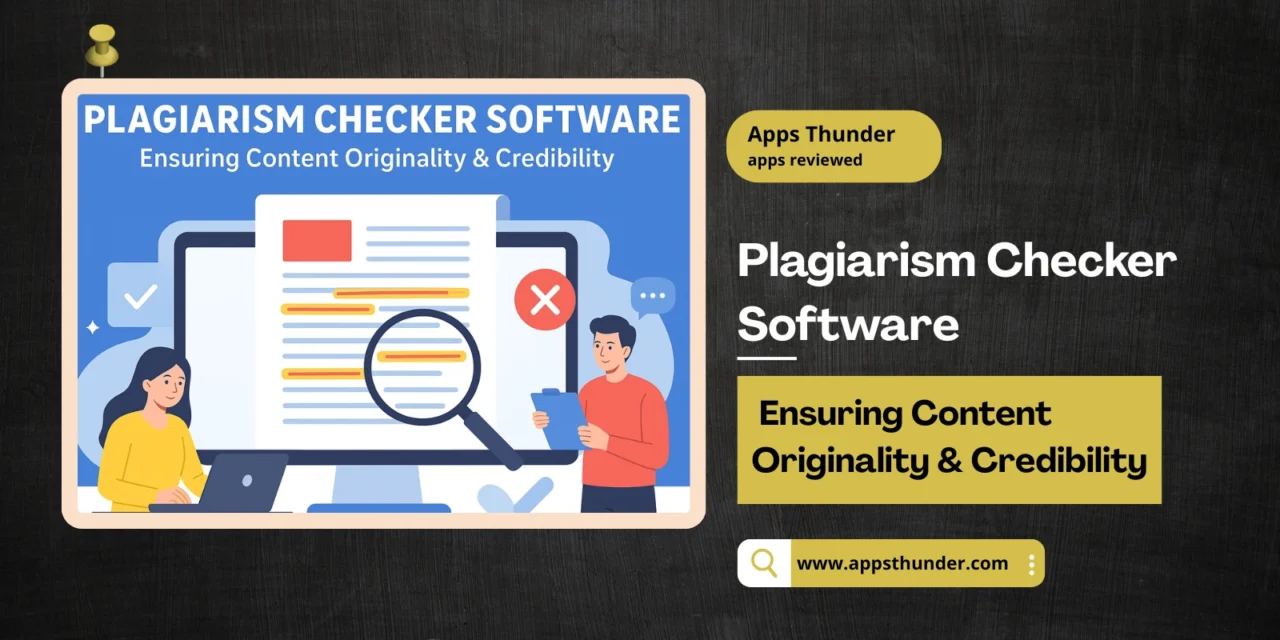
In a content-driven world—academic research, blogging, content marketing, publishing—maintaining originality and avoiding the repercussions of plagiarism is more important than ever. The plagiarism checker software market was valued at about USD 1.16 billion in 2024, and is forecast to reach around USD 2.44 billion by 2033, growing at a CAGR of ~10.9%. Business Research Insights For the education sector alone, the anti-plagiarism software segment reached USD 1.5 billion in 2024, with projections nearing USD 3.8 billion by 2033 as online education and digital content proliferate. IMARC Group
Who Needs Plagiarism Checkers & What Problems They Solve
Plagiarism detection tools are used by students, academic institutions, researchers, publishing houses, content creators, blogging platforms, and businesses producing written content. Key challenges they face include unintentional copying (paraphrasing too close to the original), lack of awareness about citation norms, content theft, duplication across the web, maintaining SEO scores (search engines penalize duplicate content), and safeguarding reputation. For institutions, plagiarism can lead to legal issues, loss of credibility; for creators, it can mean penalties, de-ranked content, or worse.
Key Feature Modules
Text Comparison & Similarity Detection
This is the core capability: comparing submitted content with existing sources.
- Checking content against large web-indexed databases, academic journals, published articles, books.
- Detection of exact matches, paraphrases, near duplicates.
- Ability to upload internal document archives to compare against (i.e. private content).
- Highlighting matched sections, showing sources, percentage similarity.
Document / File Type Support & Format Handling
Different users have different formats; software must support them.
- Accepting formats such as .doc, .docx, .pdf, .txt, .ppt, .odt etc.
- Handling images or PDFs with embedded text (OCR-based text extraction).
- Allowing batch uploads or multiple files in a single check.
Citation & Reference Checking
To assist users in attributing correctly and reducing false positives.
- Identifying missing citations or improper quoting.
- Recognizing bibliographies / references so they are excluded or treated differently.
- Suggesting proper citation formats or flagging uncredited quotes.
Multilingual & Global Content Checks
Especially needed for global authors, multilingual blogs, or cross-country institutions.
- Support for multiple languages, scripts, and character sets.
- Checking against non-English sources.
- Handling localized content (local websites / regional databases) in similarity checks.
User Management, Integration, & Workflow Features
For institutions or teams, collaboration and system integrations matter.
- Institutional accounts: roles (teacher, student, admin), permissions.
- LMS / LTI integrations (learning management systems) for schools and universities.
- APIs / SDKs for embedding in content‐creation tools, publication workflows.
- Dashboard / history of submissions; ability to save reports, compare revisions.
Reporting, Analytics & False Positive Handling
Good checking isn’t just about flagging; it’s about clarity and accuracy.
- Detailed reports with matched sources, similarity breakdown per section.
- Ability to tune sensitivity thresholds (e.g. ignore quotes, small common phrases).
- Colour-coded highlighting of critical vs minor matches.
- Exportable reports (PDF, etc.) for institutional review or publication.
Security, Privacy & Compliance
Because plagiarism checkers deal with user-generated content, sometimes sensitive.
- Ensuring data from uploaded documents is not misused or stored without consent.
- Privacy compliance (GDPR, local laws) especially for academic submissions.
- Secure storage, encryption during transit and at rest.
- Options for on-premise deployment or private instance for organizations with strict data control.
What to Consider Before Buying
- Detection Accuracy vs False Positives: The quality of the matching algorithm, ability to detect paraphrasing, exclude legitimate content.
- Database Size & Coverage: How large and current is the source pool (web content, academic journals, books)?
- Speed & Scalability: How quickly can large documents or many submissions be processed; how it behaves under heavy load.
- Usability & UI: Clear reports, easy to use, good interface, simple to interpret similarity percentages.
- Integration & Ecosystem Fit: Works well with your LMS, CMS, or workflow tools.
- Cost & Pricing Model: Free vs premium, per-word or per-document pricing, institutional licenses, usage limits.
- Privacy and Data Ownership: Who owns uploaded text, retention policy, whether texts get added to vendor database.
Leading Plagiarism Checker Tools
Here are some of the prominent plagiarism detection and checker tools, with two-line overviews:
- Turnitin – Widely used in academia; huge global student-paper database, integrates with many LMS; strong institutional credibility. Wikipedia
- Grammarly – A writing assistant with integrated plagiarism detection; good UI, grammar/style improvements; popular with individuals, bloggers, professionals. Grammarly+1
- Unicheck – Cloud-based, used by many schools and universities; supports multiple formats and integrates with classroom tools. Wikipedia+1
- PlagScan / Ouriginal – Strong in academic, publisher & corporate sectors; detailed reports; emphasis on privacy and internal archive comparisons. Wikipedia
- Quetext – Easy for bloggers and content creators; friendly UI; does deep searches and contextual checks. Grammark+1
- Scribbr – Very popular among students, thesis writers; combines plagiarism checking with proofreading and citation help. Scribbr+1
- PlagTracker – Offers multilingual checks; used by content authors and students; has free and premium versions. Wikipedia
- iThenticate – Designed more for publishers, journals, research institutions; very large database, rigorous checking. Grammark
- Duplichecker – More basic; useful for quick, informal checks; constraints on free usage. Grammark
- Prepostseo – Good for web content and bloggers; variety of free-tools features, though limitations in depth vs premium. Scribbr+1
Looking Ahead
Plagiarism checker software is facing new challenges and trends:
- AI-based Content & Paraphrase Detection: as more content is paraphrased / rewritten by AI, tools need better NLP / semantic detection, not just exact matching.
- Multimedia & Non-Text Content: detecting plagiarism in images, code, video transcripts, audio etc.
- Improved UX & Mobile Capability: users expect instant feedback, mobile-friendly tools, integrations into writing apps and editors.
- Privacy, Data Ownership & Ethics: demands for stricter control over user data, consent, not adding content to vendor-owned corpora without permission.
- Global & Multilingual Coverage: for content in multiple languages; for source databases beyond English and mainstream academic sources.
- Regulatory & Institutional Policy Pressures: schools / publishers requiring plagiarism checks; stronger rules about originality and AI content.
Despite these challenges, the future is positive: as content creation continues to expand (blogs, academic, business), the value of originality, trust, and intellectual property will make plagiarism checker tools essential. Those tools that balance strong detection, fair policies, good usability, and integration will stand out.