The average person has 100+ online accounts. A 2024 NordPass study found that ‘123456’ remains the most commonly used password globally — used by 3 million people in a single year. Password managers are no longer optional security hygiene; they’re the most important single app most people aren’t using.
Introduction
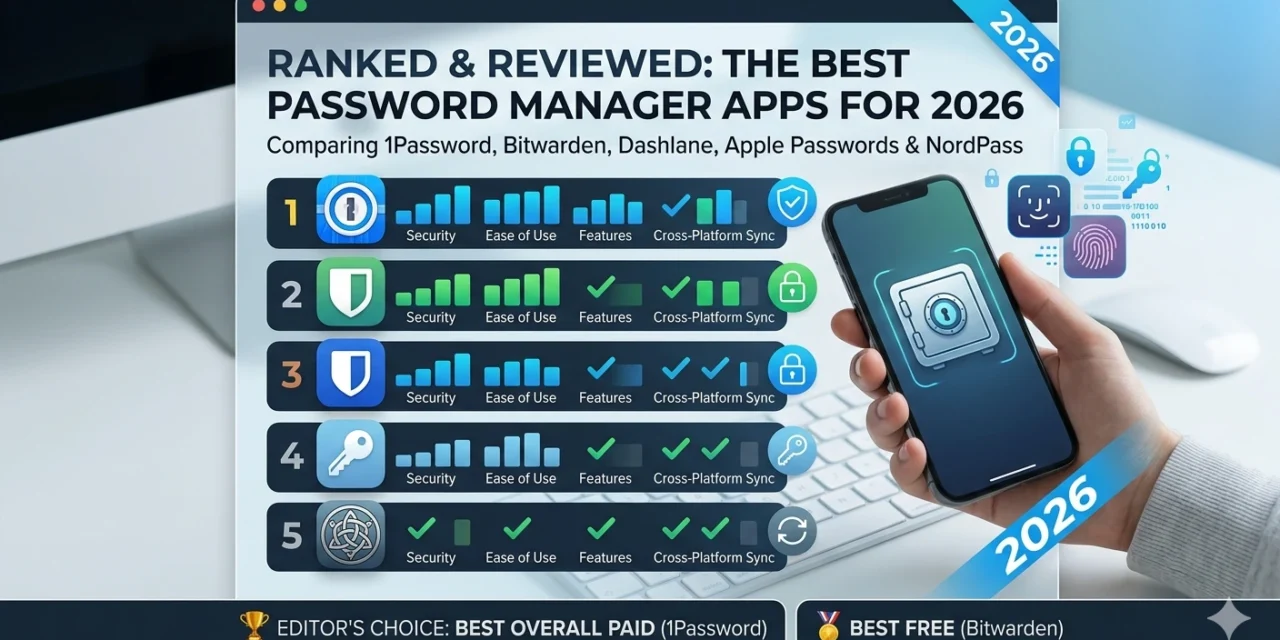
A good password manager does three things: generates unique, unguessable passwords for every site; stores them in an encrypted vault only you can access; and fills them in automatically so the experience of using unique passwords feels identical to reusing the same bad one. The difference between a good and great password manager is everything else — family sharing, passkey support, secure notes, travel mode, and how the app handles a breach at their end. Here are the best options for 2026, ranked and reviewed honestly.
The Best Password Manager Apps for 2026
1. 1Password — The best all-around password manager for individuals and families
- Watchtower: actively monitors your passwords against known data breaches and alerts you instantly
- Travel Mode: hide sensitive vaults when crossing borders — reactivate with a tap
- Passkey support: stores and fills passkeys across browsers and apps
- Masked email with Fastmail integration — generate unique email addresses per site
- Secure document storage: store passports, insurance cards, and sensitive files
- Emergency access: designate trusted contacts who can access your vault after a waiting period
- Family plan covers up to 5 users with individual private vaults plus shared family vault
- Available on iOS, Android, Mac, Windows, Linux, and all major browsers
Best For: Anyone who wants the best overall experience and is willing to pay for it. 1Password’s Watchtower feature alone — proactively alerting you to compromised passwords — justifies the subscription for most users.
Pricing: Individual $2.99/month (billed annually). Families $4.99/month for up to 5 users. 14-day free trial.
Limitation: No free tier. The subscription cost is the main barrier for budget-conscious users.
2. Bitwarden — The best free password manager — and it’s open source
- Fully open-source: code is publicly audited by independent security researchers
- End-to-end encryption with zero-knowledge architecture
- Unlimited passwords and devices on the free tier
- Self-hosting option for maximum control over your data
- Secure password sharing (Premium and higher)
- TOTP authenticator codes stored alongside passwords (Premium)
- Passkey support
- Available on iOS, Android, Mac, Windows, Linux, all major browsers, and CLI
Best For: Privacy-focused users, tech-savvy individuals who want to verify the code themselves, and anyone who needs a genuinely excellent password manager without paying. Bitwarden’s free tier is more capable than the paid tiers of many competitors.
Pricing: Free (unlimited passwords, unlimited devices); Premium $10/year; Families $40/year for 6 users.
Limitation: Interface is functional but less polished than 1Password. Advanced features require more technical comfort than consumer-oriented alternatives.
3. Dashlane — Best for dark web monitoring and proactive security alerts
- Dark web monitoring scans 20+ billion breach records and alerts you in real time
- VPN included with premium plans — powered by Hotspot Shield
- Password Health score gives an overall security rating for your entire vault
- Automatic password changer: one-click updates weak passwords on supported sites
- Secure sharing with one-click revocation
- Passkey support and biometric login
- Available on iOS, Android, Mac, Windows, and all major browsers
- Friends & Family plan covers up to 10 users
Best For: Users who want proactive security monitoring as part of their password manager, not just storage. The dark web monitoring and automatic password changer features go beyond what most competitors offer.
Pricing: Free (1 device, 25 passwords); Premium $4.99/month; Friends & Family $7.49/month for 10 users.
Limitation: The VPN included in premium plans (Hotspot Shield) is not the highest-quality VPN available — dedicated VPN users should treat it as a bonus rather than a replacement for a standalone VPN.
4. Apple Passwords (iCloud Keychain) — The best option for Apple-only users — and it’s free
- Completely free and built into every iPhone, iPad, and Mac
- Standalone Passwords app introduced in iOS 18 with dedicated interface
- iCloud sync across all Apple devices instantly
- Strong password suggestions and autofill in Safari and apps
- Passkey support natively in iOS
- Shared Password Groups for family and household sharing
- Security recommendations flag reused and weak passwords
- Available on iPhone, iPad, Mac — and Windows via iCloud for Windows
Best For: Anyone who exclusively uses Apple devices and doesn’t need cross-platform access. If your entire digital life is iPhone + iPad + Mac, Apple Passwords is a compelling, free, deeply integrated option that’s dramatically improved in recent versions.
Pricing: Free — included with iOS 18+.
Limitation: Limited Android/Windows support. No advanced features like travel mode, secure notes storage, or dark web monitoring.
5. NordPass — Best for existing NordVPN users and simple, clean experience
- Zero-knowledge architecture — Nord cannot see your passwords
- Data breach scanner monitors email addresses against known breaches
- Password health checker identifies weak, old, and reused passwords
- Passkey storage
- Secure notes and credit card storage
- Emergency access feature
- Available on iOS, Android, Mac, Windows, Linux, and all major browsers
- 6 simultaneous device connections on free tier
Best For: Existing NordVPN subscribers who can bundle NordPass at a discount, and users who want a clean, minimal interface without advanced features. NordPass does the fundamentals well without overwhelming new users.
Pricing: Free (6 devices, limited features); Premium $1.99/month (billed annually); Family $3.69/month for 6 users.
Limitation: Less feature-rich than 1Password or Dashlane at a similar price point. The main advantage is the Nord ecosystem discount for existing subscribers.
Password Manager Comparison: Security, Features, and Value
| App | Free Tier | Price/month | Open Source | Dark Web Monitor | Family Plan | Passkeys |
| 1Password | No | $2.99 | No | Yes (Watchtower) | Yes — 5 users | Yes |
| Bitwarden | Yes — unlimited | $0.83 | Yes | Premium | Yes — 6 users | Yes |
| Dashlane | 1 device, 25 pwds | $4.99 | No | Yes (real-time) | Yes — 10 users | Yes |
| Apple Passwords | Yes — free | Free | No | No | Yes (Shared Groups) | Yes |
| NordPass | Yes — 6 devices | $1.99 | No | Yes | Yes — 6 users | Yes |
Which Password Manager Should You Choose?
- Best overall experience and willing to pay: 1Password. The Watchtower breach monitoring, Travel Mode, and family sharing make it worth every penny of the $2.99/month.
- Best free option (and you trust open source): Bitwarden. Unlimited passwords, unlimited devices, zero cost, fully audited code. The best deal in security software.
- Want proactive security and don’t mind paying more: Dashlane. The real-time dark web monitoring and automatic password changer go beyond any competitor.
- iPhone, iPad, and Mac exclusively: Apple Passwords. Free, deeply integrated, dramatically improved in iOS 18. Hard to justify a subscription if you’re Apple-only.
- Existing NordVPN subscriber: NordPass. The bundle discount and ecosystem integration make it the natural choice.
Frequently Asked Questions
Is it safe to store passwords in an app?
Yes — significantly safer than the alternatives (reusing passwords, writing them down, or storing them in unencrypted notes). All reputable password managers use zero-knowledge encryption, meaning even the company cannot see your passwords. Your data is encrypted on your device before it ever reaches their servers. The 2022 LastPass breach — which should be studied — showed the importance of strong master passwords and not reusing them.
What happens if the password manager company gets hacked?
With zero-knowledge encryption, a breach at the company’s servers exposes only encrypted data. Without your master password, that data is computationally impossible to decrypt. This is why your master password must be unique and strong — it’s the only password you truly cannot lose or reuse. 1Password, Bitwarden, and Dashlane have all published detailed security architecture documents explaining exactly what a breach would and wouldn’t expose.
Can I use a password manager on both iPhone and Android?
1Password, Bitwarden, Dashlane, and NordPass all have fully featured apps on both iOS and Android. Apple Passwords is the exception — it’s Apple-only (with limited Windows support via the iCloud app). If you use both platforms, choose any of the cross-platform options above.
What is a passkey and should my password manager store them?
Passkeys are a replacement for passwords that use cryptographic key pairs — your device stores a private key, and the website stores a public key. They’re phishing-proof, can’t be reused, and don’t require remembering anything. All five password managers in this list now support passkey storage and autofill, meaning your password manager handles passkeys exactly the same way it handles passwords.
Is a free password manager good enough?
Bitwarden’s free tier is genuinely excellent — it’s the rare case where the free option is better than paid alternatives from other companies. Apple Passwords is also excellent for Apple users. The main limitations of free tiers are typically: one device only (Dashlane free), limited password count (Dashlane’s 25 password limit), or reduced sharing features. Bitwarden’s free tier has none of these limitations.
Conclusion
The most important thing is to use a password manager — any reputable one. If you’re starting from scratch, install Bitwarden (free, unlimited, open source) today and spend 20 minutes adding your most important accounts. If you want the best overall experience, 1Password’s two-week free trial is the place to start. If you’re Apple-only, open the Passwords app that’s already on your iPhone — it’s better than most people realise.
A password manager is your most important privacy tool. Your second most important: How to Stop Apps Tracking You on iPhone and Android — covering the location, advertising, and data-sharing settings most people never check.