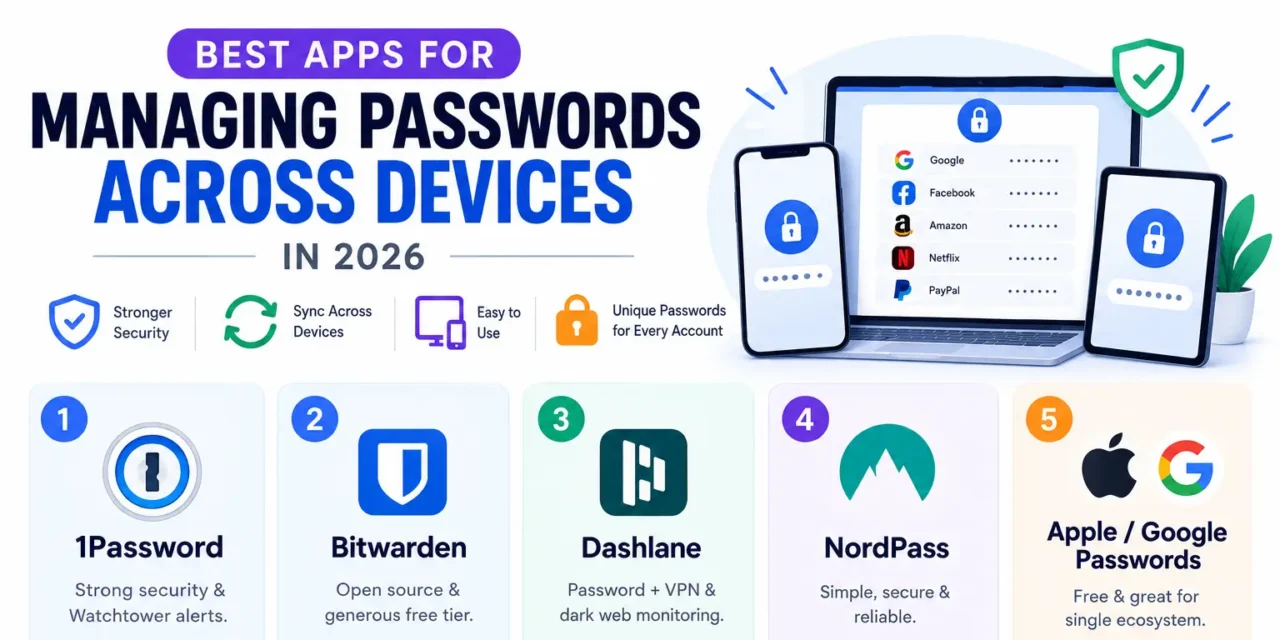
Reusing the same password across multiple accounts remains one of the most common and genuinely dangerous security habits, since a single data breach at any one service can expose every other account using that same reused password. A proper password manager solves this by generating and storing genuinely unique, strong passwords for every account, syncing seamlessly across a phone, laptop, and browser so the convenience trade-off that used to justify password reuse simply disappears. Here are five password manager apps in 2026 worth relying on across every device you use.
1. 1Password
1Password combines genuinely strong security architecture with a polished, easy-to-use interface across every major platform, and its Watchtower feature actively flags weak or reused passwords still lingering in an account.
2. Bitwarden

Bitwarden’s open-source foundation appeals to security-conscious users who want transparency into how their password data is actually protected, and its genuinely generous free tier makes it accessible without any cost barrier.
3. Dashlane

Dashlane bundles password management with a built-in VPN and dark web monitoring, offering genuinely useful additional security layers beyond just password storage for users wanting a more complete security suite.
4. NordPass

NordPass, from the makers of NordVPN, offers genuinely solid password management with a clean interface and strong encryption, appealing to users already invested in Nord’s broader security product ecosystem.
5. Apple Passwords / Google Password Manager
Both Apple and Google’s built-in password managers have improved considerably, offering genuinely capable free password generation and sync for users who stay within a single ecosystem and don’t need cross-platform flexibility.
Migrating to a Password Manager Without the Overwhelm
Switching to a password manager can feel genuinely daunting given how many accounts most people accumulate over years online, but nearly every major password manager includes an import tool that pulls existing saved passwords from a browser in one step, removing the need to manually re-enter dozens of credentials from scratch. Rather than trying to update every single password immediately, prioritize genuinely high-value accounts first, email, banking, and any account tied to password recovery for other services, since a breach of those specific accounts carries outsized risk compared to a rarely used account with lower stakes attached. Enabling two-factor authentication alongside a password manager adds a genuinely important additional security layer too, since even a strong, unique password can still be compromised through phishing, and 2FA provides a real backstop in that scenario.
A password manager remains one of the single highest-impact security upgrades most people can make, turning dozens of weak or reused passwords into unique, genuinely strong credentials without requiring any of them to be memorized. Bitwarden offers the best starting point for anyone wanting a genuinely capable free option, while 1Password’s polish is worth paying for once password management becomes a permanent part of your daily routine.