Introduction
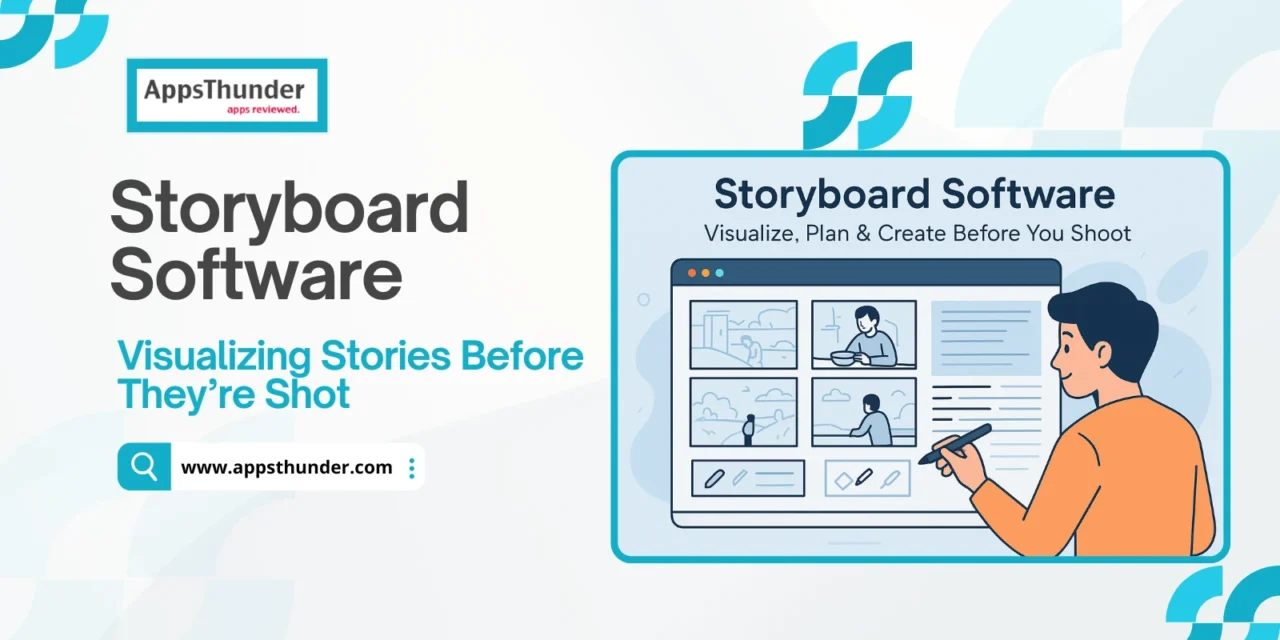
Storyboarding software helps filmmakers, animators, video producers, educators, game designers, and content creators plan visual narratives before actual production begins. As digital content creation and visual media consumption soar, tools that allow quick iteration, collaboration, and visualization are gaining traction. The storyboarding software market was valued around USD 1.97–2.14 billion in 2024-25, and is expected to grow to roughly USD 6–7 billion by 2033-2034, with compound annual growth rates in the ~8-11% range. Major drivers include demand for remote collaboration, growth of e-learning, game development, and the shift from paper sketches to digital workflows.
Who Uses Storyboard Software & Their Challenges
The users of storyboarding software are varied: film & TV production teams, independent filmmakers, animators, content creators for YouTube/TikTok, game developers, advertising agencies, and educators. Their typical pain points include:
- Difficulty in visualizing scene sequences and camera angles before production starts
- Communication disconnect among scriptwriters, directors, cinematographers, art/animation departments
- Slow manual sketching, iterating, re-ordering panels when changes are needed
- Managing revisions, feedback from clients or collaborators
- Keeping storyboards and related documents (shot lists, scripts) synchronized and easily shareable
Software that helps reduce friction, speed up pre-production, and improve collaboration is what these users want.
Key Features & Modules
Panel Creation & Visual Layout
Allows building the actual storyboard frames.
- Drawing tools: sketch, pen, brush, eraser; layering if required
- Importing visuals: photos, sketches, 3D models, assets, backgrounds
- Ability to duplicate, reorder, resize storyboard panels easily
- Templates/layout presets for different aspect ratios or formats
Script Integration & Shot Planning
Linking visuals with the narrative is powerful.
- Import or write screenplay/scenes inside the tool, tag script lines to storyboard panels
- Generate shot lists automatically from storyboards
- Annotations: camera type, movement, duration, framing, transitions
Animatics & Timing
Seeing static images come alive in sequence helps evaluate pacing.
- Animatic playback: sequence panels with timing to mimic motion or transitions
- Ability to adjust frame durations, transitions (cut, dissolve, etc.)
- Preview with sound or rough audio for dialogue or cues
Collaboration, Feedback & Revisions
Important especially for teams working remotely or in multiple departments.
- Shared boards / cloud storage; version history
- Commenting, markup tools; approval workflows
- Permissions for stakeholders: who can edit vs only view
Exporting & Integration
Once storyboards are ready, exporting and integrating into production pipeline matters.
- Export formats: PDF, image sequences, video / animatic files
- Integration with other production tools (editing software, project management, animation tools)
- Templates or print layout options for physical storyboards
Performance, UX & Accessibility
Ease of use is vital; many users are not artists.
- Simple, intuitive interface; drag-and-drop assets
- Tools for non-artists: clip art, icons, 3D props or pre-built assets
- Offline support or lightweight versions for lower-resource machines
What to Consider When Buying
- How well the software handles iteration and change (reordering frames, adjusting timing).
- Whether script/story linking is supported, so storyboards stay in sync when narrative changes.
- Collaboration features: version control, feedback, permissions.
- Export options and compatibility with other tools in your workflow.
- Asset library and ease of importing user assets (images, sketches, 3D models).
- Performance & cost: price of free vs premium plans; device compatibility; required hardware (if 3D support is involved).
- Support, documentation, learning resources.
Apps in the Market
Here are some of the well-known storyboard software tools, with brief two-line descriptions:
- Boords – A cloud-based platform for video teams: storyboards creation, feedback, versioning, and export.
- Storyboard That – Very beginner-friendly, drag-and-drop templates, useful in film, education, and groups needing simple storyboards.
- StudioBinder – More comprehensive pre-production suite: script import, shot lists, storyboard builder, collaborative workspaces.
- FrameForge Storyboard Studio – High-end tool, especially for 3D previsualization with simulated cameras, sets, props.
- Celtx – Known for screenwriting, but also includes storyboard modules and animatic playback; good for integrated workflows.
- Toon Boom Storyboard Pro – Professional animation-industry staple; rich in tools for animators, sound sync, advanced drawing.
- Canva – Offers simpler storyboard creation; great for non-designers wanting rapid visuals with templates.
- Krita – Open-source painting tool with features that supports storyboard frame layout for artists who draw.
- MakeStoryboard – Faster manual storyboarding; emphasis on speed and ease of creating panels.
- Storyboarder (Wonder Unit) – Simple, lightweight tool with essential drawing tools and easy setup for fast storyboarding.
End Note: Emerging Trends & Challenges
The landscape for storyboard software is evolving. Some key trends and upcoming challenges include:
- AI & Automation: Generating suggested frame compositions, auto-layout, camera-angle suggestions, maybe even auto-animatics.
- Real-time Collaboration & Remote Work: Tools enabling live feedback, co-editing, cloud-based assets, version sync.
- 3D & Virtual Reality Tools: As virtual production becomes more common, storyboards might integrate 3D props, virtual camera movements, VR/AR previewing.
- Mobile and Cross-Platform Support: Artists working on tablets or iPads, needing light-weight but capable apps.
- Asset Libraries & Templates: More built-in assets, prop packs, backgrounds, character models to speed up non-artist workflows.
- Usability and Democratization: Lowering the barrier so creators without drawing skills can still storyboard well. Tools must balance power and simplicity.
Despite these challenges, storyboarding software is fundamental to visual storytelling. It saves time, improves clarity of vision, enhances teamwork, and reduces production risks. For creators in animation, film, games, or training content, embracing strong storyboard tools is more than just planning—it’s foundational to crafting compelling visuals reliably and efficiently.