A calendar that fills up purely with whoever books a meeting first tends to leave genuine focused work time as whatever’s left over, usually fragmented into pieces too short to accomplish anything meaningful. AI scheduling assistant apps flip that arrangement, treating deep work and personal tasks as genuinely defensible calendar blocks that get automatically protected and rescheduled around new meeting requests, rather than always losing out to the next incoming invite. In 2026, the strongest tools in this category have also gotten better at learning individual work patterns, automatically scheduling similar types of tasks together and protecting the specific hours a person tends to do their best focused work. Here are five AI scheduling assistant apps worth using this year. Most also integrate directly with existing calendars like Google Calendar or Outlook, meaning a switch doesn’t require abandoning a calendar system a team already relies on daily.
Reclaim.ai

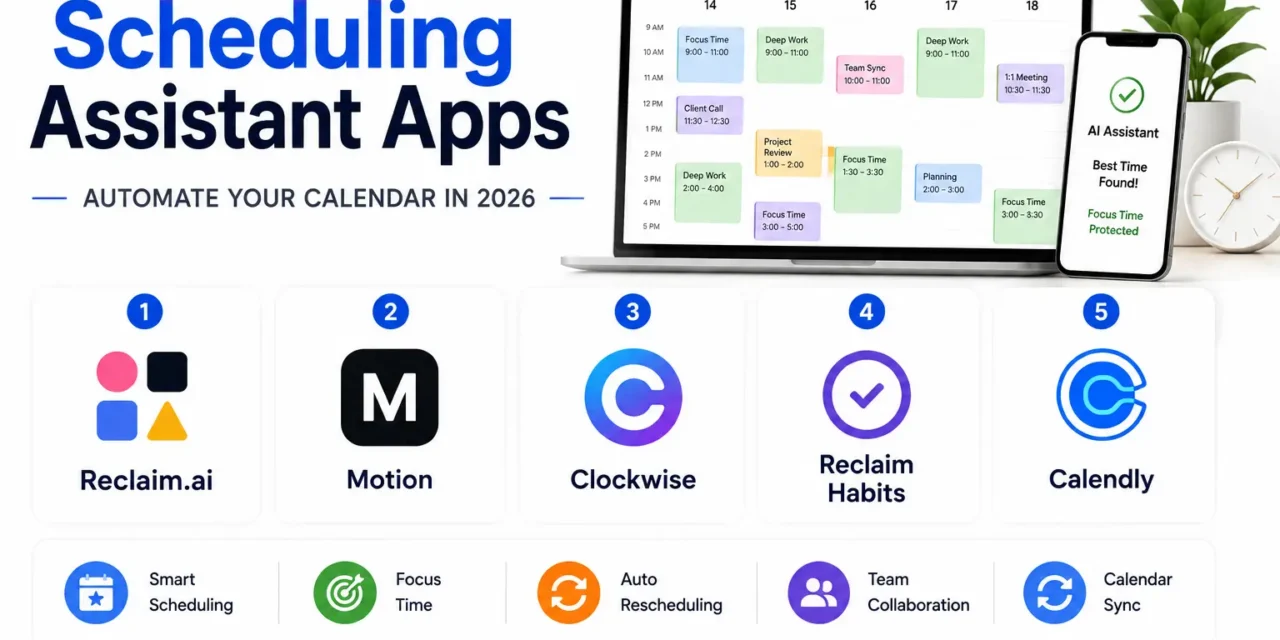
Reclaim.ai automatically finds time for habits, tasks, and focus blocks around existing meetings, dynamically rescheduling protected time when a genuine conflict arises rather than simply losing that time to whatever gets booked first.
Motion

Motion combines AI calendar management with task prioritization, automatically slotting a to-do list into open calendar time based on deadlines and priority, functioning as a combined task manager and calendar rather than two separate tools.
Clockwise

Clockwise focuses specifically on optimizing a team’s collective calendars, consolidating meetings to create larger uninterrupted focus blocks across an entire organization rather than just protecting one individual’s schedule alone.
Reclaim’s Habits Feature (Standalone Consideration)
Beyond meeting scheduling, dedicated habit-protection features let recurring personal commitments, like exercise or a lunch break, get treated with the same calendar-blocking priority as an actual work meeting, preventing them from quietly disappearing during busy weeks.
Calendly with Routing Rules
Calendly’s more advanced routing and workflow features add a layer of intelligent automation to standard scheduling links, automatically directing different types of meeting requests to the right team member or time slot based on set rules.
Individual users primarily wanting personal focus time protected around meetings get the clearest value from Reclaim.ai or Motion, both built around defending an individual’s calendar rather than optimizing across a whole team. Teams and managers specifically trying to reduce meeting fragmentation organization-wide benefit more from Clockwise’s collective optimization approach, since it works across everyone’s calendars simultaneously rather than protecting just one person’s time in isolation. Motion’s combined task and calendar management suits people who currently juggle a separate to-do list and calendar as two disconnected systems, while Reclaim’s habit-protection feature is worth using specifically for personal commitments that keep quietly losing out to work meetings. Calendly’s routing rules remain useful specifically for external-facing scheduling, like sales calls or client meetings, rather than internal focus time protection. Trying any of these for a full two-week sprint, rather than judging after a single day, tends to reveal their real value more clearly, since the AI scheduling suggestions improve as the tool learns actual patterns over time.
AI scheduling tools have shifted calendars from a purely reactive record of whoever booked first toward something that actively defends the time that actually matters for real, focused work. Pick based on whether you’re protecting your own individual time or trying to fix fragmentation across an entire team, and let the tool handle the constant rescheduling negotiation that used to fall entirely on manual calendar management.