
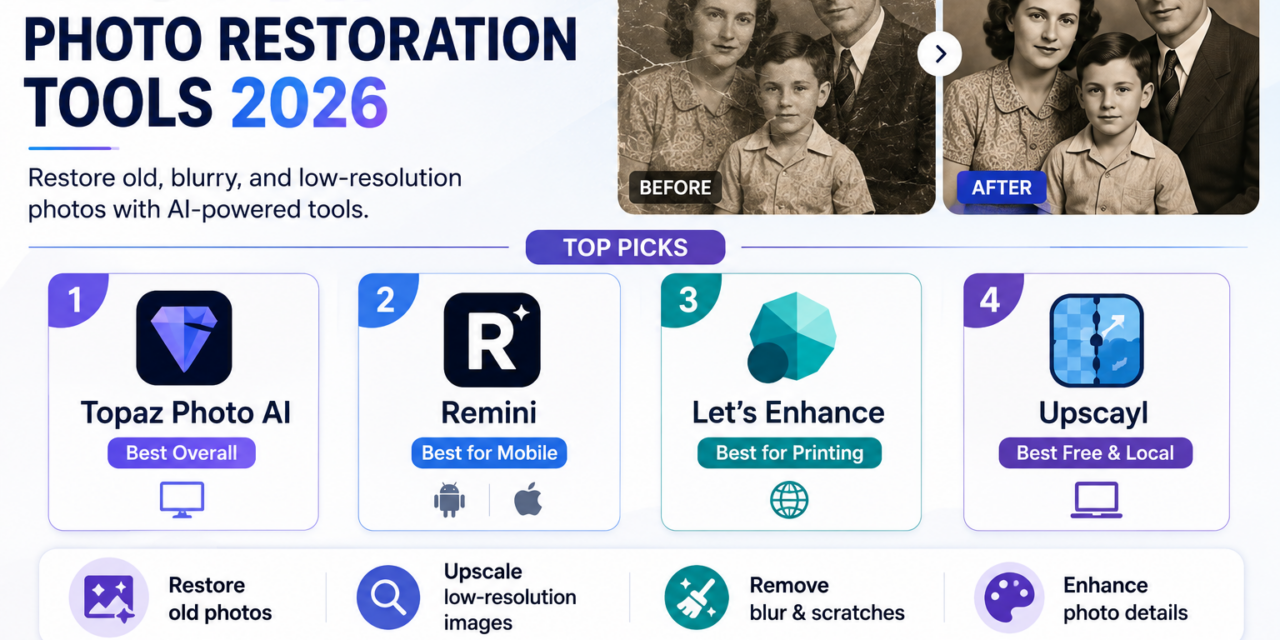
Old family photos, faded, scratched, or simply captured at low resolution decades before modern cameras existed, have gotten a genuine second life thanks to AI photo restoration and upscaling tools that can repair damage, sharpen detail, and enlarge an image well beyond its original resolution. The category has matured enough in 2026 that it’s worth understanding a key distinction before picking a tool: faithful restoration, which preserves what’s actually in the photo, versus creative restoration, which invents plausible new detail that wasn’t necessarily there originally. For preserving genuine family history rather than creating an artistic reinterpretation, faithful tools remain the safer choice. Here’s a look at the strongest options this year.
Topaz Photo AI
Topaz Photo AI remains the benchmark for professional-quality restoration work, combining denoising, sharpening, face recovery, lighting adjustment, and newer dust-and-scratch repair capabilities into a single controllable desktop workflow. Unlike a single opaque one-click filter, it lets photographers apply individual restoration models to a high-resolution original and adjust the strength of each effect independently, which matters considerably for anyone doing serious archival or professional restoration work rather than a quick casual fix. Now running on subscription pricing, it delivers the highest benchmark scores in the category alongside its Gigapixel upscaling technology, which can enlarge images four, six, or even eight times while genuinely recovering fine detail in hair, fabric texture, and fine edges.
Remini

Remini remains the dominant mobile-first option in this category, with 17.31 million monthly active users as of early 2026, offering fast, dramatic face enhancement directly from a phone with far less manual control than desktop tools like Topaz. Its face-focused restoration produces genuinely striking before-and-after results quickly, though reviewers consistently note it tends to smooth non-face areas of a photo more aggressively and can subtly alter facial identity compared to more conservative desktop restoration workflows. For quick, convenient mobile restoration of portrait-focused old photos where speed matters more than perfect fidelity, it remains the most accessible option available.
View on Play Store | View on App Store
Let’s Enhance
Let’s Enhance sits in a useful middle ground between desktop-grade Topaz and mobile-first Remini, offering a cloud-based, credit-priced service specifically built around faded full-body portraits and historical colorization rather than face-only enhancement. Its Prime model is tuned to deliver natural, high-fidelity results across a broader range of image types, and its seven specialized models mean a single algorithm isn’t being forced to handle every kind of photo the same way. For high-quality printing specifically, it supports resolution up to 512 megapixels with modes designed to preserve natural detail, making it a genuinely strong choice for anyone planning to print a restored photo at a large physical size.
Upscayl
Upscayl stands apart as the strongest free, fully local option available, running entirely on a user’s own computer with a compatible Vulkan-capable GPU rather than uploading images to a cloud service. It supports multiple AI upscaling models, custom model selection, and batch processing with no per-image limits, making it a genuinely capable option for anyone restoring a large personal photo archive without recurring subscription costs. It doesn’t match premium tools on the most difficult restoration cases involving heavy damage or face recovery, but for straightforward upscaling and moderate enhancement, its combination of local processing, zero cost, and no image caps makes it hard to beat.
For a general restoration workflow that balances quality and cost, the recommended sequence is to denoise and repair damage first, then upscale near the end, since running enlargement before cleanup tends to amplify noise and defects rather than fixing them. Photographers offering restoration as a billed professional service tend to favor Topaz Photo AI specifically for its controllable, multi-step desktop workflow, while anyone restoring a single family photo casually will likely find Remini’s speed and mobile convenience perfectly sufficient. Privacy-conscious users working with sensitive or unpublished images should lean toward Upscayl’s fully local processing rather than a cloud-based tool, since the image never has to leave the user’s own computer.
Conclusion
AI photo restoration has reached a point where genuinely damaged, faded, or low-resolution family photos can be brought back to a level of clarity that would have required serious professional retouching skills just a few years ago. Whether the goal is a quick mobile fix for a single portrait or a carefully controlled desktop workflow for restoring an entire shoebox of family history, this year’s top tools each offer a real path to preserving photos that might otherwise have simply faded away.