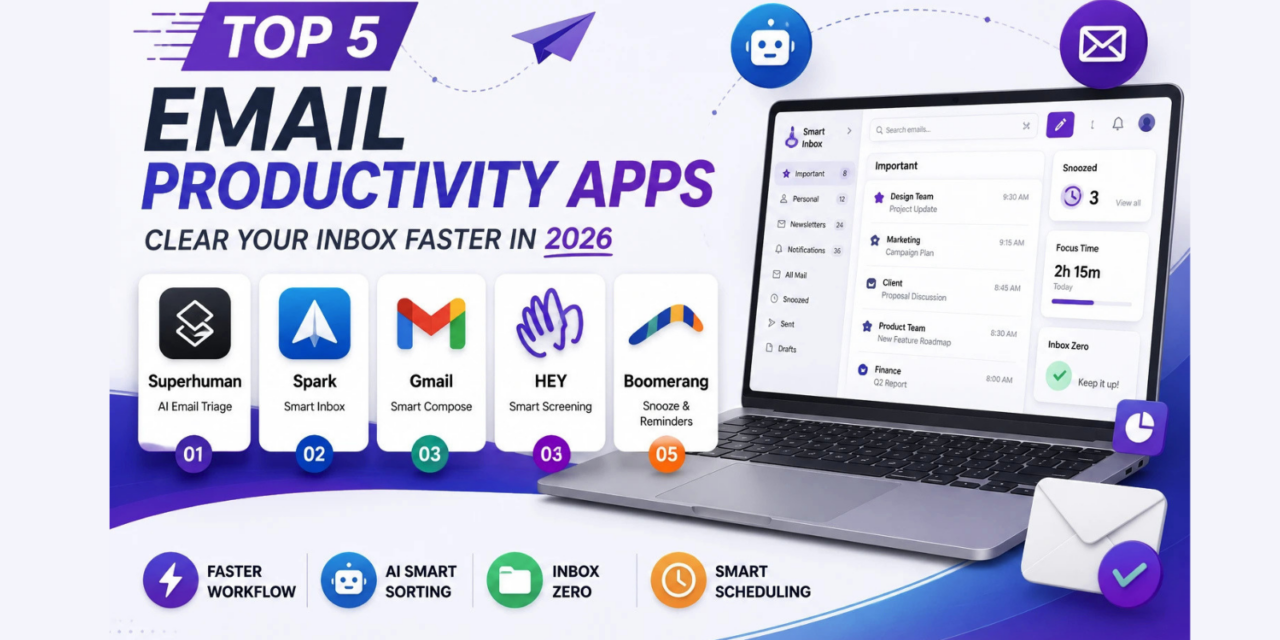
Most default email clients weren’t designed for the sheer volume professionals deal with today, leaving people manually sorting through hundreds of messages with minimal help beyond basic folders and filters. A genuinely good email productivity app changes that by intelligently prioritizing what actually needs attention, letting you snooze messages until they’re relevant, and cutting the time spent triaging an overflowing inbox down to minutes instead of an ongoing daily drain that eats into real work. Small daily time savings like this compound significantly over a working year, even if they feel minor in any single session. Here are five email productivity apps in 2026 built specifically to help you get to, and actually stay at, inbox zero.
Superhuman

Superhuman built its reputation on raw speed, with keyboard shortcuts for nearly every action and an AI-powered triage system that surfaces genuinely important emails first. Its premium pricing reflects a genuinely different tier of email experience aimed squarely at professionals who spend hours a day in their inbox.


Spark

Spark’s smart inbox automatically categorizes emails into personal, newsletters, and notifications, letting users batch-process low-priority messages together instead of interrupting focus for every single email as it arrives.
Gmail with Smart Features

Gmail’s own built-in smart compose, snoozing, and priority inbox features have improved considerably, making it a genuinely competitive free option for users who don’t want to switch away from Google’s ecosystem entirely for a paid alternative.
Hey
Hey takes a genuinely different philosophy, requiring sender approval before emails reach your main inbox at all, which forces a much more deliberate relationship with email rather than passively accepting whatever lands there.
Boomerang

Boomerang adds scheduling, follow-up reminders, and email snoozing on top of an existing email client like Gmail or Outlook, appealing to users who want targeted productivity features without switching to an entirely new interface.
Inbox Zero Is a System, Not Just an App
No email app, however clever its sorting algorithm, fixes a fundamentally reactive relationship with email where every notification gets checked and responded to immediately regardless of urgency. Pairing any of these tools with a few basic habits, checking email at set times rather than continuously, using snooze aggressively to defer non-urgent messages, and archiving rather than leaving read emails sitting in the inbox, makes a far bigger difference than the specific app chosen. The best email apps essentially remove the friction that makes good habits hard to maintain, but the underlying discipline of not treating every email as equally urgent still has to come from the user, not the software. Turning off non-essential notifications entirely is often a more impactful single change than any app switch, since it removes the constant pull to check email the moment something new arrives.
A cluttered, overwhelming inbox is rarely a technology problem alone, it’s usually a combination of poor tooling and reactive habits reinforcing each other over time. Pick whichever app matches your budget and workflow, Superhuman for those willing to pay for raw speed, Gmail’s native features for a free starting point, and commit to using its snooze and archive features aggressively rather than just changing which app the same old habits play out in. Give any new habit at least two full weeks before judging whether it’s working, old inbox habits take real time to fully break, and the first few days almost always feel harder than the routine that eventually settles in.